The best Coda alternatives for 2026
Eight tools worth evaluating when you leave Coda, now Superhuman Docs, ours included, ranked on docs and tables in one place, a way in for a Coda export, included AI and published pricing.
How we picked
Coda became Superhuman Docs on July 8, 2026. Grammarly, which agreed to buy Coda in December 2024, renamed itself Superhuman in October 2025, and the product now sits beside Grammarly, Mail and Go in one suite. Superhuman says no features were removed: docs, tables, Packs, automations and formulas work as before, and coda.io links redirect to the new address. What changed is how it is sold. New customers buy the whole Superhuman suite, at $12 per member a month on Pro and $33 on Business, billed annually. Existing Coda customers keep their old price only while they stay on their current plan, and an upgrade moves them to the suite. The old AI credit packages are paused while Superhuman prepares a new credit system.
We ranked the eight tools below on four things a team leaving Coda needs, in this order: documents and tables in one place, since that pairing is what Coda is; a way in for what Coda can export; AI that is included in the price; and a price you can read before a sales call, with a free plan or a self-hosted edition counting in a tool's favour.
No tool we checked documents a Coda importer. Superhuman Docs exports a doc or its pages as PDF, each table as CSV, and an account-wide download of text and CSV files for the docs you own; Markdown and HTML come only through its API. So every move is the same job: tables travel as CSV, which the database tools here import, pages travel as PDF, Markdown or HTML, and buttons, automations, formulas and Packs have to be rebuilt, because they run only inside Coda.
Notion, ClickUp and Slite link to a full comparison with Stride; the other picks carry their write-ups here. Stride, our own product, is on the list too, and these criteria rank it last; its entry says why. Every price was read on the vendor's own site on November 20, 2026.
At a glance
Disclosure: Stride is our product. We rank it by the same criteria as every other tool on this list, and its entry says where it falls short.
| Rank | Tool | Best for |
|---|---|---|
| 1 | Notion | The closest match to what Coda is: pages and databases in one workspace, with a free plan and AI agents on its Business plan.The closest match to Coda |
| 2 | Airtable | For Coda docs that are really databases: a database platform for apps and workflows, with a monthly allowance of AI credits on every plan.Coda docs that are really databases |
| 3 | Grist | A spreadsheet-database for teams whose Coda tables lean on formulas, with an open-source edition you can run on your own servers for free.Formula-heavy tables, self-hostable |
| 4 | ClickUp | For Coda docs that ran projects: tasks, docs, chat and dashboards in one app, with a spreadsheet importer for table data.Coda docs that ran projects |
| 5 | Confluence | The usual wiki for teams on Jira, with Rovo AI included in paid plans; a home for Coda's pages more than its tables.A home for pages, for teams on Jira |
| 6 | Baserow | An open-source database builder you can host yourself for free with unlimited rows, at half Airtable's price in its cloud.A database builder you host for free |
| 7 | Slite | For Coda docs that were mostly writing: an AI knowledge base that answers questions from your docs, not a tool you build in.Coda docs that were mostly writing |
| 8 | Stride(our product) | The narrowest fit here: for software teams whose Coda doc was their delivery tracker, and who would rather have stories, sprints, tests and decisions ready-made than keep maintaining it.Coda docs that tracked delivery |
Quick answers
What are the best alternatives to Coda?
Notion is the closest match, with pages and databases in one workspace. Airtable suits docs that were really databases, and Grist and Baserow do the same with open-source editions you can host yourself. ClickUp fits docs that ran projects, Confluence fits teams on Jira, and Slite fits docs that were mostly writing. Stride, our own product, suits software teams whose Coda doc was their delivery tracker.
What happened to Coda?
Coda became Superhuman Docs on July 8, 2026. Grammarly, which agreed to buy Coda in December 2024, renamed itself Superhuman in October 2025. Superhuman says no features were removed and that coda.io links redirect to the new address. New customers buy the Superhuman suite, from $12 per member a month billed annually; existing customers keep their price while they stay on their current plan.
What is the best Coda alternative for docs and databases?
Notion, for most teams: it pairs pages with databases as Coda does, has a free plan, and imports the CSV, Markdown and HTML that Superhuman Docs can export. Choose Airtable if the databases matter more than the writing, and Grist or Baserow if you need to host the data yourself.
Is there a self-hosted alternative to Coda?
Yes, for Coda's tables. Grist's Community edition and Baserow's open-source edition are free to run on your own servers, and NocoDB has a free self-hosted Community edition under a source-available licence. None reproduces a Coda doc with its buttons and Packs, so written pages need a second tool, such as a self-hosted wiki.
Pricing, side by side
| Tool | Paid plans (annual / monthly) | How AI is priced |
|---|---|---|
| Notion | Plus $10 / $12 · Business $20 / $24 · Enterprise on quote | Notion AI comes with Business and Enterprise; Free and Plus get a limited trial. Custom Agents need Notion credits, $10 per 1,000 a month. |
| Airtable | Team $20 / $24 · Business $45 / $54 · Enterprise Scale on quote | AI credits come with every plan: 500 per editor a month on Free, 15,000 per paid user on Team and 20,000 on Business. |
| Grist | Pro $8 / $10 · Business $24 / $30, from 5 users · Enterprise on quote | AI Assistant credits: a one-time 100 on Free, then a monthly allowance starting at 100 on Pro and 2,000 on Business. |
| ClickUp | Core $9 / $12 · Business $17 / $25 · MAX $100 / $120 · Enterprise on quote | Brain² on Business and up, an extended trial on Core; pooled AI credits per user a month: 1,000 on Core, 1,500 on Business, 3,000 on Enterprise and 10,000 on MAX. Top-ups are $10 per 10,000 credits. |
| Confluence | Standard $7.15 · Premium $14.10 per user, billed monthly, for up to 100 users; annual plans are priced by user tier · Enterprise listed from 801 users | Rovo search, chat and agents come with paid plans: a monthly allowance of 25 credits per user on Standard, 70 on Premium and 150 on Enterprise. |
| Baserow | Premium $10 / $12 · Advanced $18 / $22 · Enterprise on request | Its pricing page lists AI features from Premium, with no separate AI price. |
| Slite | Basic $10 · Pro $20, billed yearly (no monthly rate is shown) · Enterprise on quote | Basic includes 30 AI questions per seat a month; Pro includes 50 credits per seat and the Slite Agent, with more credits at $10 per 100. |
| Stride(our product) | Starter $12 / $15 · Pro $32 / $39 · Enterprise from $69 | AI credits are included in every seat (200, 1,000 or 1,500 a month by plan), with top-ups; when they run out, AI pauses rather than billing overage. No free plan. 14-day free trial. |
Per user or seat a month in US dollars, before tax, shown as billed annually / billed monthly where a vendor shows both. Read on each vendor's own pricing page on 2026-11-20. Free plans are left out; the FAQ lists them. AI credits are each vendor's own unit, so allowances do not compare across vendors.
The ranking
- 1
Notion
The closest match to what Coda is: pages and databases in one workspace, with a free plan and AI agents on its Business plan.
Notion pairs long-form pages with databases the way Coda pairs docs with tables, so most Coda docs have a natural home in it. It imports CSV, Markdown, HTML, Word and PDF files, which covers everything Superhuman Docs exports. Notion AI, with the Notion Agent and custom agents, comes with Business and Enterprise; Free and Plus get a trial, and custom agents then draw on credits at $10 per 1,000 a month. Best fit: teams that want Coda's blend of writing and structured data with less to build. The trade-off: Coda goes further on formulas, buttons and Packs, so a doc that works as a small application needs rethinking, not only importing.
Free plan · Plus $10 and Business $20 per seat a month billed yearly, $12 and $24 monthly · Enterprise on quote
Stride vs Notion
- 2
Airtable
For Coda docs that are really databases: a database platform for apps and workflows, with a monthly allowance of AI credits on every plan.
Airtable is a database platform for building apps and workflows on shared data, the right move when a Coda doc's tables matter more than its prose. Tables import from CSV, Excel and Google Sheets. Every plan includes AI credits: 500 per editor a month on Free, 15,000 per paid user on Team and 20,000 on Business. The Free plan allows 1,000 records per base and up to 5 editors, and a new account starts with a 14-day trial of Team. Best fit: operations and product teams whose Coda docs had grown into structured trackers. The trade-offs: it is database-first, so long-form writing has less room than in Coda, and Team costs $20 a seat a month where Notion Plus costs $10.
Free plan · Team $20 and Business $45 per seat a month billed annually, $24 and $54 monthly · Enterprise Scale on quote
- 3
Grist
A spreadsheet-database for teams whose Coda tables lean on formulas, with an open-source edition you can run on your own servers for free.
Grist is a spreadsheet-database for turning spreadsheets into applications. It imports Excel, CSV, JSON and tab-separated files, and from Google Drive and Airtable. The Free plan allows 5,000 records per document; Pro is $8 per user a month billed annually and Business $24, from 5 users, each with a 30-day trial, and an AI Assistant allowance that starts at 100 credits a month on Pro and 2,000 on Business. Its core, grist-core, is open source under Apache 2.0, and the Community edition is free to host yourself. Best fit: teams whose Coda docs are mostly tables and formulas, and anyone who must keep data on their own servers. The trade-off: it is spreadsheet-first, so written pages need another home.
Free plan · Pro $8 and Business $24 per user a month billed annually, $10 and $30 monthly · Community edition free to self-host
- 4
ClickUp
For Coda docs that ran projects: tasks, docs, chat and dashboards in one app, with a spreadsheet importer for table data.
ClickUp brings tasks, docs, chat, whiteboards and dashboards into one app, which suits Coda docs that had become a team's project tracker. Its spreadsheet importer takes table data, and it has importers for Notion, Confluence, Jira, Asana, Trello and other tools, though none for Coda. Brain², its AI, comes with Business and above, with an extended trial on Core, and paid plans include pooled AI credits. Best fit: teams whose Coda doc ran their work and who would rather adopt a ready-made task model than rebuild their own. The trade-off: a very large configuration surface that needs an owner to stay coherent.
Free plan · Core $9 and Business $17 per user a month billed yearly, $12 and $25 monthly · MAX $100 · Enterprise on quote
Stride vs ClickUp
- 5
Confluence
The usual wiki for teams on Jira, with Rovo AI included in paid plans; a home for Coda's pages more than its tables.
Confluence is Atlassian's team wiki of spaces and pages, closely tied to Jira. It is free for up to 10 users with 2 GB of storage; Standard is $7.15 and Premium $14.10 per user a month on monthly billing for up to 100 users, and Rovo search, chat and agents come with paid plans, with 25 credits per user a month on Standard and 70 on Premium. Atlassian documents importers for Notion and HTML, among others, but none for Coda. Best fit: teams already on Jira that mainly need Coda's written pages. The trade-offs: it is a wiki, not a tool you build in, so Coda tables with formulas and buttons have no equivalent, and its Data Center edition reaches end of life on March 28, 2029.
From Atlassian · Free for up to 10 users · Standard $7.15 and Premium $14.10 per user a month, billed monthly, for up to 100 users
- 6
Baserow
An open-source database builder you can host yourself for free with unlimited rows, at half Airtable's price in its cloud.
Baserow describes itself as a way to build databases, automations, apps and agents with AI, without code. Its cloud Free plan allows 3,000 rows and 2 GB of storage per workspace; Premium is $10 per user a month billed yearly and Advanced $18. The self-hosted edition is open source and free, with unlimited rows and storage, and everything outside its premium and enterprise features is under the MIT licence. It imports CSV, JSON and XML files, pasted spreadsheet data and whole Airtable bases. Best fit: teams that want Coda's tables on infrastructure they control. The trade-off: it is a database tool, so Coda's written pages need a second home.
Free plan · Premium $10 and Advanced $18 per user a month billed yearly, $12 and $22 monthly · open source, free to self-host
- 7
Slite
For Coda docs that were mostly writing: an AI knowledge base that answers questions from your docs, not a tool you build in.
Slite is an AI knowledge base for teams: a clean editor, AI answers across your docs and, on Pro, an agent that keeps docs in step with connected tools. Basic is $10 and Pro $20 per user a month billed yearly, with 30 AI questions per seat a month on Basic, and there is no free plan, only a 14-day trial. It imports from Notion, Google Drive and Confluence and takes files in bulk. Best fit: teams whose Coda workspace was a handbook or wiki. The trade-off: it is built for documents, so a Coda doc that worked as a tracker or small application has no equivalent here.
Basic $10 and Pro $20 per user a month, billed yearly · Enterprise on quote · no free plan, 14-day trial
Stride vs Slite
- 8
Stride
Our productThe narrowest fit here: for software teams whose Coda doc was their delivery tracker, and who would rather have stories, sprints, tests and decisions ready-made than keep maintaining it.
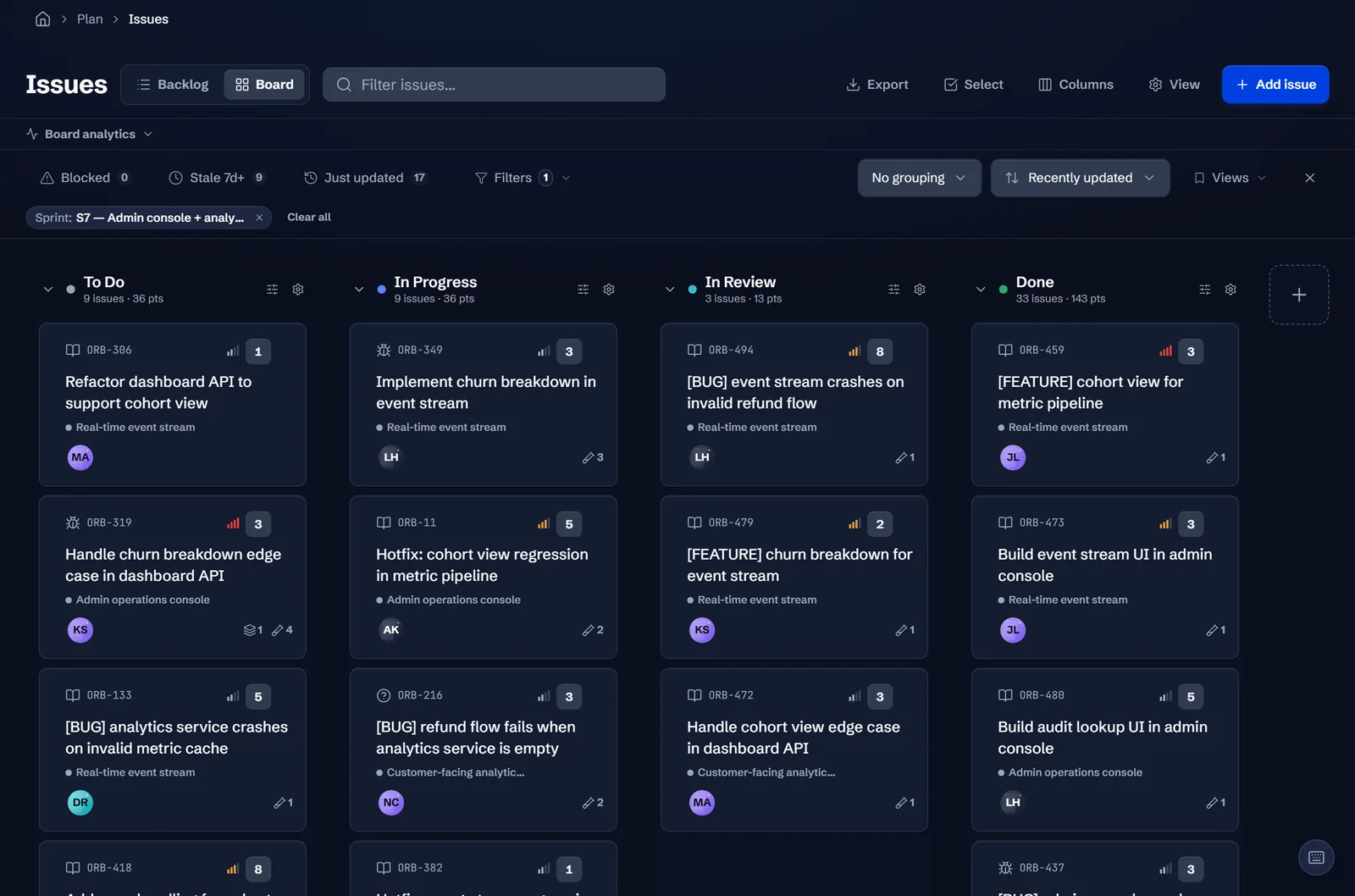
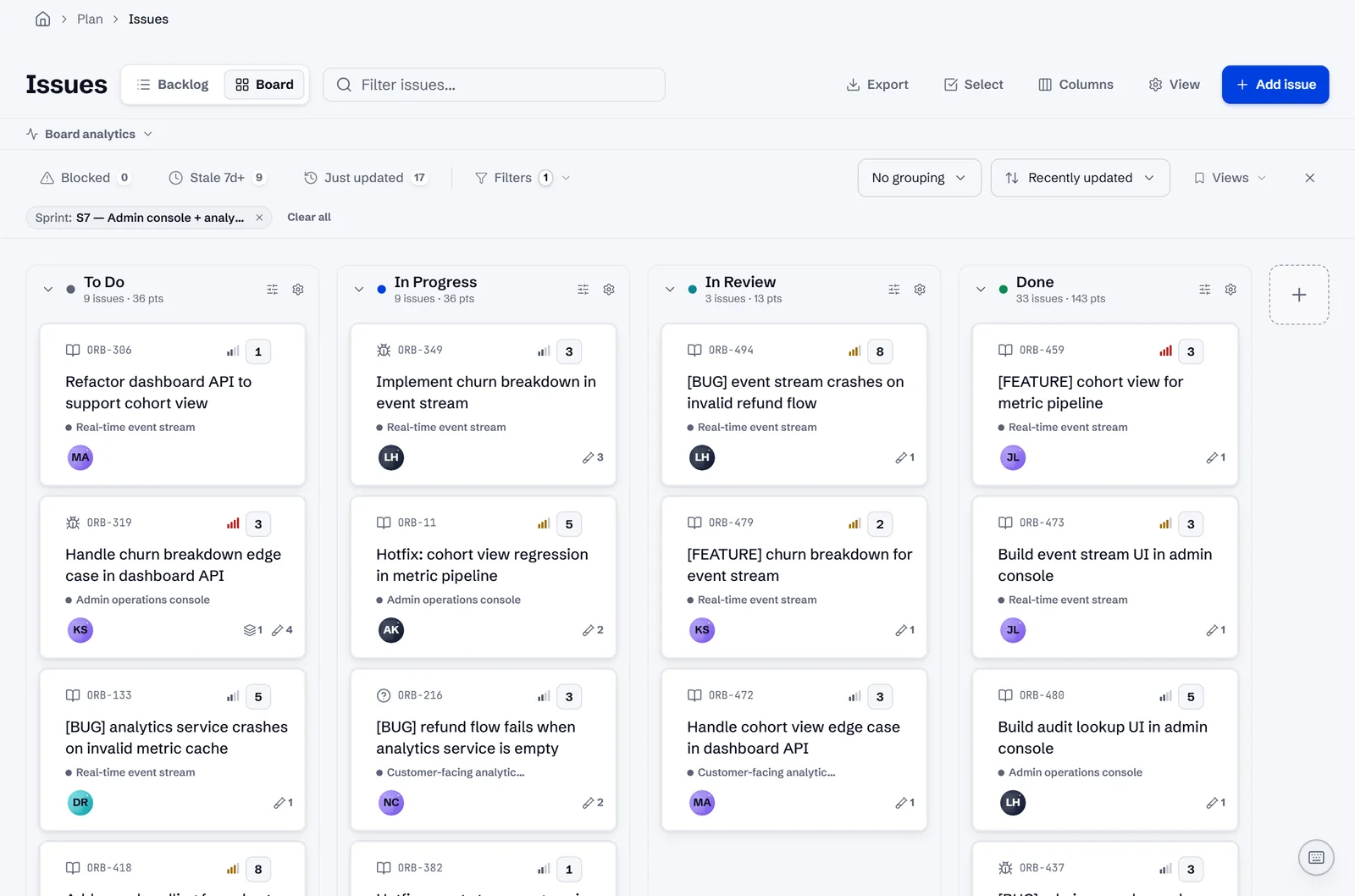
Stride is a software delivery platform, not a document tool: story types, sprints, test cases, defects and decision records come built in and linked, and AI drafts acceptance criteria, test cases and decision records from that context. Its import wizard reads a CSV of Coda table rows as stories, and its Library takes Markdown, Word, PDF and text files one document at a time. It ranks last because these criteria weigh documents and free-form tables: Stride has no formulas, buttons or tables you design yourself, so a Coda doc built for anything but software delivery has no home in it, and there is no free plan. The trade-off in its favour: nothing to build or maintain, in a platform priced from $12 a seat a month, billed yearly.
Our product · Starter $15, Pro $39, Enterprise from $69 per seat a month · No free plan · 14-day free trial
Stride vs Coda
Honourable mentions
- SmartsheetSpreadsheet-style work management, at $9 per member a month billed yearly on Pro, for 1 to 10 members, and $19 on Business, with imports from Excel, CSV and Google Sheets; no free plan, but a 30-day trial.
- NocoDBDescribes itself as a free and self-hostable Airtable alternative; its cloud plans are $12 and $24 per seat a month billed annually, and its licence is the Sustainable Use License, source-available rather than open source.
- NuclinoA wiki and docs tool, free for up to 50 items, then $6 and $10 per user a month billed yearly, with its AI, Sidekick, on Business; it imports Markdown, Word and HTML files and from Notion, Confluence and Google Docs.
- FiberyA work platform built on databases you define, free for up to 10 users, then $12 and $20 per user a month billed annually, with AI credits included in paid plans and CSV import.
- Microsoft LoopComes with Microsoft 365 instead of at a price of its own: Loop workspaces need a plan that includes them, and Copilot in Loop needs a Microsoft 365 Copilot licence. Worth a look only for teams already on Microsoft 365.
Where Stride fits
Stride is our product, and it ranks last in the list below, labelled as ours. It is not a replacement for Coda as a document and table builder. It fits one kind of Coda team: a software team that built its backlog, sprints or test tracking in a Coda doc and now spends time maintaining that doc. If your Coda docs serve other departments, choose from the top of the list.
For how Stride turns a PRD into epics, stories and acceptance criteria, see AI PRD generation in Stride.
When to choose Stride
- Your Coda doc is a software delivery tracker that someone has to keep repairing.
- You want stories, sprints, test cases and decision records linked without designing the tables yourself.
- You want AI that drafts acceptance criteria and test cases from the work it is linked to.
When Stride isn't the fit
- Your Coda docs run work outside software delivery.
- You depend on formulas, buttons or Packs to build your own tools.
- You need a free plan or a self-hosted edition.
How Stride differs
| Competitor | How Stride differs |
|---|---|
| Superhuman Docs (Coda) | Coda gives you docs, tables, buttons and automations to build a tracker yourself. Stride ships the software delivery tracker ready-made, with the records linked. |
| Notion | Notion is a general workspace of pages and databases for any team. Stride is only for software delivery, with stories, tests and decisions as built-in types. |
FAQ
- How do I export my docs from Coda?
- Superhuman Docs exports a whole doc or chosen pages as PDF and each table as CSV, and its Export My Data option downloads text and CSV files for every doc you own. Markdown and HTML exports of a page come only through its API. Exports cover the docs you own; Enterprise admins have more options through the admin API. None of these formats carries buttons, automations, formulas or Packs, which have to be rebuilt.
- How much does Coda cost now?
- As Superhuman Docs it is sold in the Superhuman suite: Free, Pro at $12 per member a month billed annually ($15 monthly), Business at $33 ($40 monthly) and Enterprise on quote. In Docs only Doc Makers are charged; editors and viewers are free. Existing Coda customers keep their old price while they stay on their current plan, and upgrading moves them to the suite. Read on Superhuman's help centre on November 20, 2026.
- Is there a free alternative to Coda?
- Notion, Airtable, Grist, ClickUp and Baserow have free plans, and Confluence is free for up to 10 users. Grist and Baserow are also free to host yourself. Superhuman Docs has a free plan too, on which a shared doc is limited to 50 objects and 1,000 table rows.
- Can any tool import a Coda doc directly?
- No tool we checked documents a Coda importer. Tables move as CSV, which Notion, Airtable, Grist, Baserow and ClickUp's spreadsheet importer accept; pages move as PDF, or as Markdown or HTML through the API. Buttons, automations, formulas and Packs have to be rebuilt in the new tool.
Related ranking: The best Confluence Data Center alternatives for 2026
See the product behind our own entry
The tour follows one story from the plan to a passed test, so you can judge where we placed Stride for yourself.